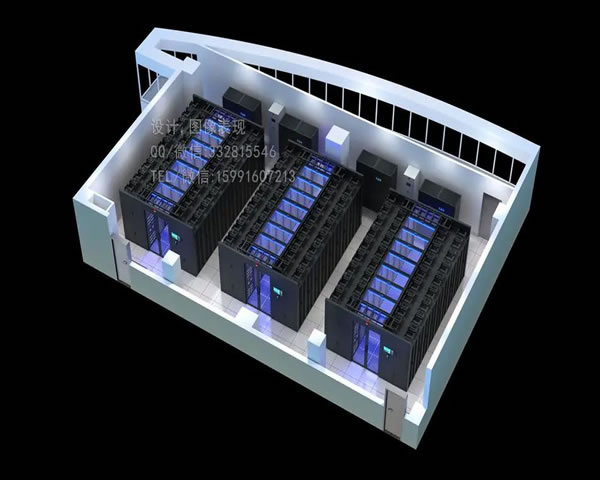
in today's digital age, building a vps (virtual private server) in a hong kong computer room has become a need for many companies and individuals. hong kong's network environment is superior and has low latency, making it suitable for building various applications. this article will introduce in detail the steps to set up a hong kong computer room vps so that you can easily get started.
this article will be divided into several parts, each part will describe the specific steps in detail to ensure that you can get help in actual operations.
let's get started!
1. choose the right vps service provider
before setting up a vps, you first need to choose a reliable vps service provider. there are many service providers on the market that provide vps services for hong kong computer rooms. you can choose based on the following points:
- server performance: view configurations such as cpu, memory, storage, and bandwidth.
- price: the prices of different service providers vary greatly, so choose the solution with the highest cost-effectiveness.
- after-sales service: ensure that the service provider provides good technical support.
- user reviews: view feedback and reviews from other users.
2. register and purchase vps
after choosing a service provider, you need to register an account and purchase a vps. the specific steps are as follows:
- visit the service provider's official website, click the registration button, and fill in the necessary personal information.
- verify your email address and follow the system prompts to complete account activation.
- log in to your account and select the "buy vps" option.
- choose the appropriate configuration according to your needs and add to shopping cart.
- select the payment method to complete the payment. after the payment is successful, you will receive vps related information.
3. connect to vps
after the purchase is completed, you will receive the ip address and login credentials of the vps. you can use ssh tools such as putty to connect to your vps. the specific steps are as follows:
- download and install putty (if you are using windows).
- open putty and enter the ip address of the vps. the default port is 22.
- click the "open" button and you will be prompted to enter your username and password.
- enter your username (usually root) and password, and after successfully logging in, you will see the command line interface.
4. system update and basic configuration
after successful login, it is recommended to update the system first to ensure security and stability. the specific steps are as follows:
- run command:
sudo apt updateto update the package list. - run command:
sudo apt upgradeto upgrade installed packages. - install the necessary software tools:
sudo apt install vim git curl. - configure the firewall: run the command
sudo ufw allow openssh, then enable the firewall:sudo ufw enable.
5. install and configure the web server
if you plan to build a website, you need to install a web server. here we take nginx as an example. the specific steps are as follows:
- install nginx: run the command
sudo apt install nginx. - start the nginx service: run the command
sudo systemctl start nginx. - set up auto-start at boot: run the command
sudo systemctl enable nginx. - enter your vps ip address in the browser. if you see the nginx welcome page, the installation is successful.
6. install the database (optional)
if your website requires database support, you can install mysql or mariadb. here are the steps to install mariadb:
- run the command:
sudo apt install mariadb-server. - start the mariadb service:
sudo systemctl start mariadb. - run the security script to improve security:
sudo mysql_secure_installationand follow the prompts to set the root password and other security options. - log in to mariadb:
sudo mysql -u root -p.
7. deploy your application
now that you have completed setting up the basic environment, you can deploy your application as needed, upload the code or clone it using git.
- upload your website files to the server via scp or ftp.
- configure the nginx virtual host and modify the
/etc/nginx/sites-available/defaultfile. - restart the nginx service:
sudo systemctl restart nginx.
8. regular maintenance and monitoring
after completion of construction, regular inspection and maintenance are very important. you can regularly update your system and software and monitor server performance to ensure stable operation.
- monitor server resource usage through
toporhtop. - check the system log regularly:
sudo tail -f /var/log/syslog. - back up important data regularly to prevent data loss.
q&a session
q: what kind of technical foundation is needed to build a hong kong vps?
answer: building a hong kong vps does not require a particularly deep technical foundation, but you need to have basic linux command operation capabilities, network knowledge and a basic understanding of server management. this knowledge can help you better complete the construction and subsequent maintenance work.
q: how to ensure the security of vps?
answer: to ensure the security of vps, you can start from the following aspects: regularly update the system and software, set complex login passwords, configure firewalls, disable root remote login, regularly back up data, etc. at the same time, installing security monitoring tools can detect and deal with potential threats in a timely manner.
q: what application scenarios is suitable for hong kong vps ?
answer: hong kong vps is suitable for a variety of application scenarios, including building personal websites, developing test environments, running online applications, data storage and backup, etc. because hong kong has excellent network conditions and low latency, it is very suitable for business facing the asian market.
- Latest articles
- Actual Test Of Bandwidth Protection And Anti-attack Capabilities Of Korean High-defense Servers
- Port And Firewall Settings: How To Locate The Problem When The Cf Vietnam Server Cannot Be Accessed
- Security Perspective: Encrypted Backup And Compliance Setting Recommendations When Purchasing Malaysian Cloud Servers
- From The Perspective Of Brand Building, Shopee Taiwan Station Store Group Operation And Membership System Design To Increase Repurchase Rate
- Practical Experience Sharing Of Korean Vps Native Ip Used In Overseas E-commerce And Seo Optimization
- An In-depth Study Of The Impact Of Vietnam’s Cn2 Network Advantages On Cross-border Business
- Detailed Explanation Of The Leasing Process, Billing Model, Contract Terms And Refund Rules Of Korean Cloud Server Leasing Platform
- Optimization Skills Of Japanese Cn2 Ss In Games, Videos, And Remote Office Scenarios
- Experts Explain The Common Misunderstandings And Judgment Methods Of What Hong Kong Native Ip Means
- Development And Testing Environment To Build Malaysian Server Cloud Computer Automated Deployment And Image Management Practice
- Popular tags
-

Explore The Advantages And Application Scenarios Of Vps Cloud Server In Hong Kong Computer Room
explore the advantages and application scenarios of vps cloud server in hong kong computer room, and understand its application in various industries and the best reasons for choosing. -

A Summary Of Consumer Feedback Tells You Which Hong Kong Vps Servers Are Trustworthy
based on a large number of user reviews and performance tests, we share the key considerations, sources of frequently asked questions and practical selection methods for choosing a hong kong vps to help you find a balance between latency, bandwidth, price and after-sales service. -

Jing'an Hong Kong Vps Trial Experience Sharing And Evaluation
this article evaluates the trial experience of jing'an hong kong vps in detail, analyzes its performance, price and user experience, and helps users choose the most suitable vps service.